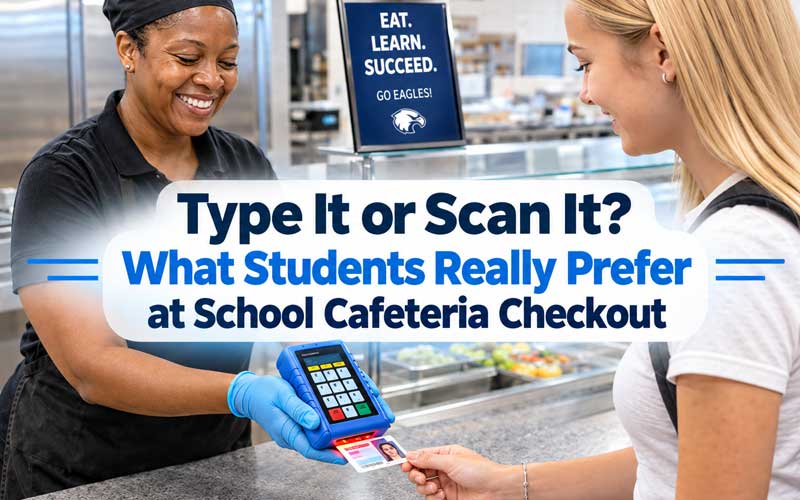
Every school day, a few hundred students squeeze through a lunch line with maybe 20 minutes to eat. How they identify themselves at the register, by typing an ID code or scanning an ID, can decide whether that line moves or stalls. So which do students prefer?
There’s no single winner. Preference tends to follow age, line volume, and how reliable each method is in practice. Here’s how the two options compare.
The Case for Typing an ID Code
Typing a code or PIN needs nothing but memory. There’s no card to lose, forget at home, or leave in a jacket pocket, which is a real advantage for younger students.
– No hardware to carry. A student who forgot their ID can still check out.
– Low cost. Keypads are inexpensive and easy to replace.
– Familiar to cafeteria staff. Many programs have used PIN entry for years.
The downsides show up at busy times. Typing a 5- or 6-digit code is slower than a scan, and mistyped numbers mean re-entries and longer waits. Codes can also be overheard or watched over a shoulder, which raises privacy and account-misuse concerns, and younger students sometimes forget or mix up their numbers.
The Case for Scanning an ID
Scanning a barcode, tapping a card, or using a student ID badge is usually the faster option. A scan takes a second, so lines move quickly during short lunch periods.
. Speed. A scan avoids keystrokes and entry errors.
. Accuracy. The system pulls the right account every time, with fewer mix-ups between similar IDs.
. Privacy. There’s no code to say out loud or let a classmate see.
. Less stigma. Everyone uses the same method, so students on free or reduced meals aren’t singled out at the register.
The tradeoff is dependence on the card. Lost, damaged, or forgotten IDs create exceptions, and worn barcodes can fail to read. Schools need a backup, such as a keypad or a lookup by name, so no student is turned away.
So What Do Students Prefer?
In general, older students (middle and high school) lean toward scanning because it’s quick and they already carry an ID. Younger students often do better with a simple keypad or card system because they have less independence and may not carry a badge reliably.
Most students care about three things:
. Speed. Nobody wants to lose lunch time standing in line.
. No embarrassment. They don’t want a declined entry, a visible balance, or a fuss at the register.
. Convenience. If the method works the first time, they don’t think about it.
That’s why many schools offer both: scan first, with a keypad fallback.
What Really Happens
While students prefer scanning their IDs because it’s fast and convenient, the truth is that they often forget their ID at home or lose them. Because they are used to it, they know their ID code and type it in. As a result, a pin pad combo is the best solutions for school cafeterias, covering students with and without IDs.
What Schools Should Consider
. Grade level: Keypads suit younger students, and scanning works well for older ones.
. Line volume: High-traffic cafeterias benefit most from faster scanning.
. Backup options: Always have a plan for lost or forgotten IDs.
. Privacy: Position screens and keypads so balances and codes aren’t visible to other students.
. Staff training: The simpler the system, the faster new cashiers can learn it.
FAQs
Q1. Which is faster, typing an ID code or scanning an ID? Scanning is generally faster. A scan takes about a second, while typing a code takes longer and is more prone to entry errors.
Q2. What happens if a student forgets their ID card? Most cafeteria systems have a fallback, such as a keypad for typing the student’s ID number or a lookup by name, so the student can still get a meal.
Q3. Is typing an ID code a privacy risk? It can be. Codes can be overheard or seen by nearby students. Placing keypads thoughtfully and using scan-based identification reduces the risk.
Q4. Which method works better for younger students? Younger students often do better with a simple keypad or a card they can tap, since they may not carry or keep track of a badge as reliably as older students.
Q5. Can a cafeteria offer both options? Yes, and many do. Scanning serves as the fast default, and typing a code serves as the backup, so no student is held up at the register.
.
AlphaTechs USA offers a wide selection of Innovative Pin Pad Scanner Combos for School Cafeterias
Looking to upgrade your district’s cafeteria checkout process? A pin pad scanner combo system pays for itself in saved instructional time, reduced card replacement costs, and shorter lunch lines from day one.
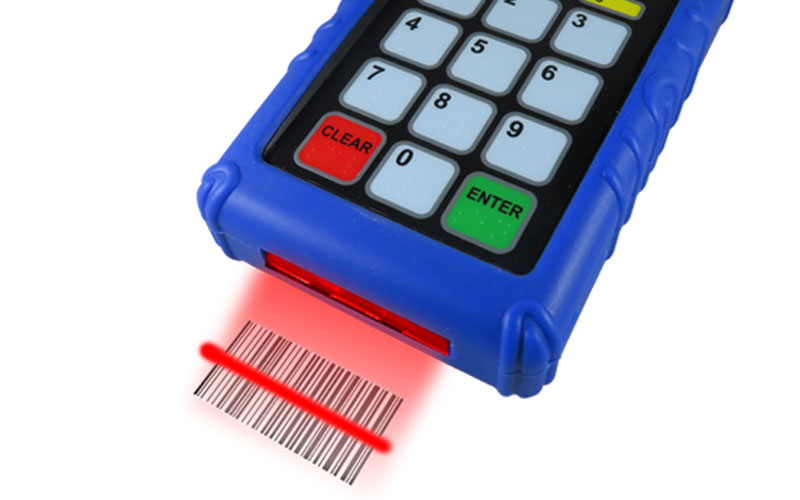
Specifically created for US school cafeterias, our pin pad scanner combos AlphaScan 1D, AlphaScan QR Express and AlphaScan RFID are compatible with all school lunch POS systems. Each unit comes with a free complementary anti-shock cover designed to keep your devices safe at all time.
Stand-alone readers are also available including orbital scanners, USB handheld barcode scanners as well as Bluetooth handheld barcode scanners.
For any school cafeteria POS scanner question, feel free to contact us.