
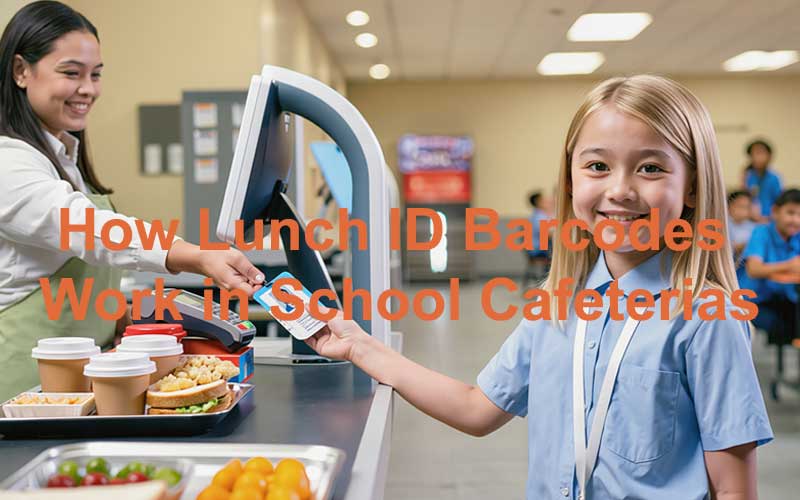
What is a lunch ID barcode?
A lunch ID barcode is a machine-readable code printed on student identification cards that cafeteria scanners read at the point of sale to link each meal transaction to the correct student account. School cafeteria staff scan these barcoded student ID cards to access lunch money accounts, check balances, and add funds during meal service.
This barcode functions as a digital identifier that connects students to their individual accounts within the school’s cafeteria management software. A USB scanner connected to the point-of-sale system reads the barcode and registers the meal purchase with immediate processing of the transaction. The system tracks services rendered and monitors students who qualify for programs such as free or reduced-price lunch. This provides accurate coverage for federal reimbursement claims and financial records.
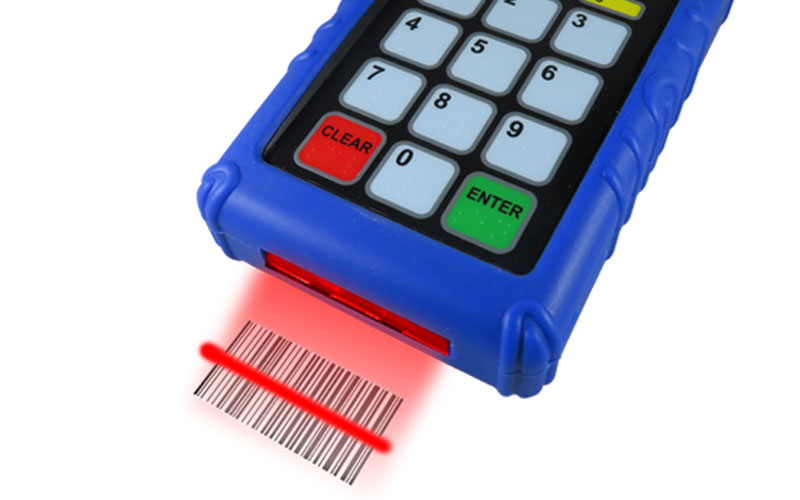
School lunch ID systems support multiple barcode formats to accommodate different scanning technologies. QR codes can be read from any angle by QR scanners, while 1D barcodes (traditional linear barcodes) require precise alignment for reading by 1D scanners. Schools can choose scanning hardware based on their specific needs and budget constraints with this flexibility. Some districts have implemented these systems at modest costs, with expenditures around $3,600 for barcode scanners serving both high schools and middle schools[14].
The information encoded within a lunch ID barcode extends beyond simple student identification. Barcodes contain data about the student’s lunch status and include eligibility for free or reduced-price meals. This encoding replaced older systems such as color-coded punch cards, which identified students eligible for free lunches to their peers. The uniform appearance of barcoded plastic school ID cards provides privacy protection for students receiving meal assistance while maintaining efficient transaction processing.
Many school districts issue cafeteria-specific ID numbers separate from general student identification numbers to boost account security. This practice protects lunch accounts from unauthorized access, as student ID numbers are considered public information within school systems. The dedicated cafeteria barcode appears on the back of the card and is marked for meal service identification.
Student ID barcodes serve multiple functions beyond meal payment processing. The same barcode that processes cafeteria transactions makes library checkout services possible and creates a unified identification system in school facilities of all types. This multi-purpose functionality streamlines administrative processes and reduces the number of cards students must carry.
Meal service moves faster because the technology eliminates manual entry of student identification numbers. Cashiers ring up items, verify student balances, and complete lunch payments with scans that reduce wait times in cafeteria lines by a lot. Younger students, especially those in kindergarten and first grade who struggle to remember numerical identification codes, benefit a lot from barcode-based payment systems. Barcode scanners also ensure more accurate data entry compared to manual input methods and reduce errors in account management and transaction records.
Schools combine barcode scanners with PIN pads rather than relying on a single identification method, as no single approach provides complete reliability. This dual-system configuration gives schools a more dependable solution for meal service management while maintaining transaction speed and accuracy.
How lunch ID barcodes work in school cafeterias
The barcode scanning process operates through connected hardware and software infrastructure that processes student meal transactions at the point of sale. Cafeteria staff members access the meal management platform by logging into PowerSchool and navigating to the PowerLunch module, where they select either Serve Breakfast or Serve Lunch to initiate meal service[2]. The cursor positions itself in the designated field where student information will be entered after the system prompts for identification input.
Student scans ID at cafeteria entry
Students present their identification cards to cafeteria staff, who scan the barcodes using USB scanners connected to the point-of-sale system. The scanners read barcodes formatted in Barcode 39, a standard symbology that translates the visual barcode pattern into the student’s unique cafeteria identification value[2]. Scanners configured the right way follow each scan with a carriage return command, which submits the identification data without requiring manual keyboard input[2]. Cashiers don’t need to press enter after each scan, which accelerates transaction speed.
Students without physical cards access their accounts through PIN pad entry rather than barcode scanning. This dual-system approach prevents service disruptions, as no single identification method provides complete reliability in all situations[3]. The combination of scanners and PIN pads maintains consistent transaction flow whatever the case—students with or without their cards.
System verifies meal plan or balance
The software links the scan to the correct student account once the barcode data enters the system and retrieves account information[3]. Current balance levels get checked, meal plan eligibility gets verified, and pricing structures based on the student’s status get confirmed. Schools classify students according to their lunch status, including those eligible for free or reduced-price meals. The verification process applies appropriate pricing on its own.
Cafeteria staff access lunch money accounts through the scanned identification and view available balances. They add funds when parents make deposits[3]. The verification process occurs in seconds, which allows staff to inform students of insufficient balances or account restrictions before transactions complete.
Transaction is recorded on its own
The point-of-sale system registers meal purchases as they occur and creates transaction records within the account database right away[3]. When Quick Sale functionality is enabled in PowerLunch and students maintain sufficient meal funds, the system processes sales without requiring additional confirmation steps[2]. The automated recording returns staff to the previous screen and prompts for the next identification scan, which maintains continuous service flow.
Transaction records flow into classification systems that organize sales data for reporting purposes. Eligibility status and pricing accuracy get verified, which generates information necessary for federal reimbursement claims and financial documentation[3]. Each scanned transaction contributes to comprehensive activity logs that parents can review through student meal portals.
Kitchen staff receives order confirmation
The transaction data transmits through the connected systems and provides kitchen operations with order information. The recorded meal selections inform preparation requirements and inventory tracking, though the scanning process serves payment verification rather than advance ordering in most traditional cafeteria configurations.
Types of school lunch ID systems
School nutrition programs implement three main technological approaches for student identification and meal transaction processing. Districts select between these systems based on infrastructure requirements, budget constraints, and operational priorities.
Card-based lunch ID systems
Physical identification cards containing printed barcodes represent the most common approach in school cafeteria operations. Electronic point-of-sale systems supporting card-based identification serve 85.3% of school nutrition programs, with an additional 6.9% using combined electronic and paper-based configurations[4]. Barcode scanners connect to meal management platforms that process transactions and maintain account records through the electronic systems.
Prominent software platforms supporting card-based operations include Nutrikids, which serves 29.8% of surveyed programs. WebSMARTT and Skyward each serve 6.3% of programs[4]. Other platforms like Systems Design, PCS Revenue Management Systems, and PrimeroEdge provide similar functionality in different school districts[4]. Schools typically find these software solutions through colleague recommendations or vendor exhibitions at national conferences[4].
Barcode scanners operate with PIN pads to create dual-method identification systems. These maintain service continuity when students misplace cards or forget numerical codes[5]. This combined approach prevents bottlenecks in cafeteria lines and reduces wait times while improving meal tracking accuracy[5]. The dual configuration addresses reliability limitations inherent in single-method systems, as no individual identification approach provides complete dependability across all operational scenarios[5].
Mobile app lunch barcodes
Digital applications transform smartphones and tablets into virtual identification cards that display scannable barcodes for cafeteria transactions. The Focus Pennsylvania App exemplifies this technology and enables students to access virtual ID badges through iOS and Android devices[6]. Students install the application, authenticate using school credentials, and go to the Virtual ID Badge feature to display their scannable school cafeteria ID code[6].
Mobile barcode systems extend functionality beyond meal purchases to include library checkout services and attendance verification. This creates unified identification across school facilities[6]. Parents generate student meal barcodes by entering identification numbers into web portals, then either print the codes or save them directly to mobile devices for scanning at meal service locations[7]. This flexibility accommodates families without access to physical card printing and maintains transaction processing efficiency.
Biometric systems with barcode backup
Fingerprint recognition technology eliminates the requirement for students to carry physical cards or memorize PIN codes. Students scan their fingers on biometric hardware and establish identity while recording transactions instantly[1]. This modality addresses operational problems that arise when students forget PIN numbers or leave identification cards at home, situations that create cafeteria line congestion and staff frustration[1].
Biometric solutions prevent fraudulent account access that occurs when students steal PIN codes or physical cards from peers[1]. Fingerprint recognition has become the mainstream biometric modality. Advanced technologies including fingervein, palm vein, and iris recognition offer lower false acceptance rates and more hygienic scanning environments[1]. These systems interface easily with existing cafeteria management software at affordable prices[1]. The identiMetrics Finger Scanning ID System provides cost-effective replacement for swipe-card readers, barcode readers, and PIN pads. The system requires no additional software customization for integration with platforms like eTrition[8].
Benefits of using lunch ID barcodes
Schools implementing barcode scanning systems report wait times decreased by up to 70% compared to traditional cash-handling methods[3]. Traditional cash transactions require students and staff to count bills and coins, averaging 30 seconds per transaction, while modern lunch ID scanners complete the same transaction in just 5 seconds[3]. Student nutrition outcomes depend on this acceleration. Students need at least 20 minutes seated at lunch tables to consume their meals properly and interact socially. Students receiving less than this threshold eat 13% less of their main entree, 12% less of their vegetables, and drink 10% less milk[3].
Cashless systems deliver substantial processing speed advantages beyond simple barcode scanning. Mastercard research found that cashless school payments reduce transaction times by 75%[3]. QR code payments increased school transaction speeds by 40% in Singapore[3]. Contactless NFC cards enable instant transactions and minimize delays during peak cafeteria hours. These speed improvements translate to better nutrition and increased social interaction during meal periods. Faster lines eliminate the time pressure that forces students to rush through meals or skip them.
Automated transaction processing removes manual tasks that burden food service teams. Mobile technology eliminates the need to take orders manually and enter them into traditional point-of-sale terminals[3]. Staff members gain time to focus on meal quality and student service rather than processing payments during peak hours. Every extra second in line suppresses participation. Students abandon lines when they anticipate being late to class or lacking time to socialize with friends[3].
Barcode systems achieve exceptional accuracy in meal documentation. Cafeteria workers using digital systems achieve 97% accuracy in documenting students’ food and beverage choices[3]. This precision contrasts sharply with manual entry methods, which introduce frequent errors in account management and transaction records. School nutrition software enables advanced reporting that tracks each student’s priorities and supports inventory management while ensuring compliance with nutrition standards[3].
The tracking capabilities protect revenue streams and strengthen regulatory compliance. Barcode systems link each student to their transaction and classify sales correctly, verifying eligibility and pricing accuracy[3]. These classifications flow into claim and financial reports required for federal reimbursement programs. Tracking every meal sold reduces waste by providing accurate consumption data. Cafeterias can adjust preparation quantities based on actual demand patterns.
Implementation costs remain available for most school districts. The hardware represents a low-cost upgrade that integrates with existing point-of-sale systems[9]. The tools require minimal maintenance and simple staff training procedures[9]. The modest investment delivers returns through faster service, improved student outcomes, and reduced daily operational frustrations in cafeteria environments.
How schools implement lunch ID barcode systems
Implementation timelines for barcode scanning systems span 2-3 weeks from hardware acquisition through complete operational deployment[3]. This period includes equipment selection, software configuration, personnel instruction and account setup among all students.
Choosing the right hardware
Schools select between several scanner configurations based on operational requirements and budget constraints. Handheld USB scanners cost around $175, while mobile barcode scanners begin at $299[3]. Hardware options include orbital omnidirectional scanners, handheld USB wired models and Bluetooth wireless units[3]. All devices have 3-year warranties and FCC approval. They support both 1D and 2D QR code formats with adjustable audio feedback and USB connectivity[3].
Scanner selection needs compatibility with Barcode 39 barcode font. The scanner must append a carriage return as a suffix to scanned data. It should operate hands-free so staff don’t need to press triggers[2]. Schools verify scanner configuration when they test units with text editors such as Notepad or TextEdit. The barcode value should translate to clear text followed by proper carriage return placement[2].
Setting up the software platform
Software platforms operate on any tablet, laptop or phone. This removes the need for expensive proprietary hardware[10]. Cloud-based systems enable most schools to achieve full operational status within 48 hours. No on-site installation is needed[10]. The platform must synchronize payment information back to the Student Information System. It should maintain compatibility with third-party software currently in use, such as MealTracker and CafeConnect[3].
Student identification numbers within the system accept alpha-numeric formats and special characters such as dashes. The system keeps to a 20-character limit with no duplicate entries permitted[3]. Security configurations must meet PCI standards with 256-bit PCI-compliant digital encryption that protects transaction data[3]. Multi-factor authentication provides additional account protection layers. Credit card company fraud protection mechanisms support this[3].
Training cafeteria staff
Personnel instruction covers scanner operation and troubleshooting procedures[3]. Staff members learn to position scanners for optimal barcode reading and interpret audio feedback signals. They also address common scanning failures during meal service periods.
Enrolling students and parents
Parent onboarding focuses on online payment features and account management through the school nutrition scanner system[3]. Families receive guidance on funding accounts and how to track balances. They can view transaction histories through web portals. Student enrollment involves issuing lunch ID numbers. These identifiers link to meal plan status and payment accounts within the cafeteria management database.
Common problems with lunch ID barcodes and solutions
Physical damage represents the most frequent cause of barcode scanning failures in school cafeteria environments. Cards subjected to daily handling develop scratches, creases, or tears that prevent scanners from interpreting the encoded data[11]. Printing errors compound these readability issues when barcodes emerge from card printers with misaligned patterns or insufficient ink saturation. This frustrates efforts to capture student identification information[11]. Poor print quality stems from low-resolution printers creating fuzzy barcode edges and incorrect darkness settings on thermal printers causing faded symbols. Ribbon mismatches lead to smudging[12]. Scanner hardware doesn’t deal very well with barcodes that are physically torn, crinkled, or otherwise obscured[13].
Scanner configuration errors create operational bottlenecks even when lunch ID cards remain in perfect condition. Many barcode readers fail to append the required carriage return suffix after scanning and force cafeteria staff to manually press the enter key for each transaction[2]. Transaction speed gets affected by this configuration requirement, as scanners configured the right way submit student data without keyboard intervention. Schools must verify scanner compatibility with Barcode 39 symbology and confirm that devices operate in hands-free mode[2]. Scanners tested with text editors such as Notepad confirm proper carriage return placement, with the cursor advancing to a new line after each scan[2].
Environmental conditions substantially affect scanning reliability during meal service periods. Glare from glossy card surfaces scatters scanner light beams and prevents accurate decoding of school cafeteria ID codes[12]. Extreme lighting contrast in cafeteria serving areas creates challenging scanning environments, while condensation on cards carried by students from cold outdoor conditions refracts light away from scanner lenses[12]. Staff members address these environmental obstacles by tilting scanners about 15 degrees to redirect reflected light away from the lens[12].
Data integration failures prevent scanned lunch id numbers from reaching school databases despite successful barcode reads[11]. Student account information remains unavailable even when scanners function the right way if point-of-sale terminals lack proper software configuration.
Schools implement dual-method identification systems to address the persistent problem of lost or forgotten cards. Students often leave identification at home or misplace cards between classes[9]. PIN pad backup systems maintain cafeteria line flow when barcode scanning becomes unavailable and prevent staff intervention that slows meal service[9][3].
FAQs
Q1. Why do schools use barcodes on student ID cards? Schools use barcodes on student ID cards to quickly identify students and process meal transactions in the cafeteria. The barcode links each student to their individual lunch account, allowing cafeteria staff to check balances, verify meal eligibility, and complete purchases in just seconds. This system also helps track students who qualify for free or reduced-price lunch programs while maintaining their privacy.
Q2. How long does a barcode scan take compared to cash payments in school cafeterias? Barcode scanning dramatically reduces transaction time in school cafeterias. While traditional cash transactions average about 30 seconds per student, modern barcode scanners complete the same transaction in approximately 5 seconds. This speed improvement can reduce overall wait times by up to 70%, giving students more time to actually eat their meals and socialize during lunch periods.
Q3. What happens if a student forgets their lunch ID card? Most schools implement dual-method identification systems to handle situations when students forget their cards. Students can enter a PIN code on a keypad as a backup method to access their lunch account. This combination approach ensures that meal service continues smoothly even when students don’t have their physical ID cards available.
Q4. Are fingerprint scanners safe for school lunch identification? Fingerprint scanning systems used in schools typically don’t store actual fingerprints but rather create encrypted digital signatures or hash values that can only be read by specific scanning devices. While these systems offer convenience and prevent issues like lost cards or forgotten PINs, they do raise privacy concerns. Schools usually offer alternative options like barcode cards or PIN codes for families who prefer not to use biometric identification.
Q5. How accurate are barcode systems in tracking student meal purchases? Barcode systems achieve exceptional accuracy in documenting student meals, with cafeteria workers using digital systems reaching approximately 97% accuracy in recording food and beverage choices. This precision is significantly better than manual entry methods and helps schools maintain accurate records for federal reimbursement programs, inventory management, and nutritional tracking.
AlphaTechs USA offers a wide selection of Innovative Scanners for School Nutrition Departments
Specifically created for US school cafeterias, our pin pads, 1D scanners and 1D/2D QR barcode scanners and RFID code readers are compatible with all school lunch POS systems. Each unit comes with a free complementary anti-shock cover designed to keep your devices safe at all time.
Stand-alone readers are also available including orbital scanners, USB handheld barcode scanners as well as Bluetooth handheld barcode scanners.
For any school cafeteria POS scanner question, feel free to contact us.
References
[1] – https://www.m2sys.com/blog/others/biometric-solutions-for-school-lunch-line-point-of-service/
[2] – https://puredata.zendesk.com/hc/en-us/articles/8490568187540-PowerLunch-and-Barcode-Scanner
[3] – https://www.alphatechsusa.com/school-cafeterias-adopt-id-scanners/
[4] – https://schoolnutrition.org/journal/fall-2017-use-of-point-of-service-systems-in-school-nutrition-programs-types-challenges-and-employee-training/
[5] – https://alphatechsusa.com/school-lunch-technology-guide/
[6] – https://support.uscsd.k12.pa.us/kb/article/390-student-id-barcode-scanning-using-the-focus-pennsylvania-app/
[7] – https://nutrition.fultonschools.org/BarCode
[8] – https://harrisschoolsolutions.com/harris-school-solutions-partners-with-identimetrics-for-increased-security-and-accuracy/
[9] – https://www.genovation.com/faster-cafeteria-lines-with-student-id-pin-pads-and-barcode-scanners/
[10] – https://www.ezschoolapps.com/blog/school-lunch-app-software-solutions-2026/
[11] – https://www.accusoft.com/resources/blog/the-barcode-benefit-in-education/
[12] – https://www.finaleinventory.com/guides/common-barcode-problems-fixes/
[13] – https://www.scandit.com/resources/guides/barcode-scanning-challenges/
[14] – https://www.govtech.com/education/k-12/Connecticut-High-School-Scans-Kids-Through-Lunch-Line.html