How to choose the right connection for fast, reliable lunch lines
The lunch line is one of the most time-pressured moments in a school day. A few hundred students have a short window to get through the line, and every second a pin pad or scanner hesitates adds up to a longer queue, a shorter eating period, and a more stressful shift for cafeteria staff. The devices at the point of sale are small, but the way they connect to the POS computer shapes how smoothly that line moves. For most districts the decision comes down to two options: wired USB or wireless Bluetooth.
How the two connections work
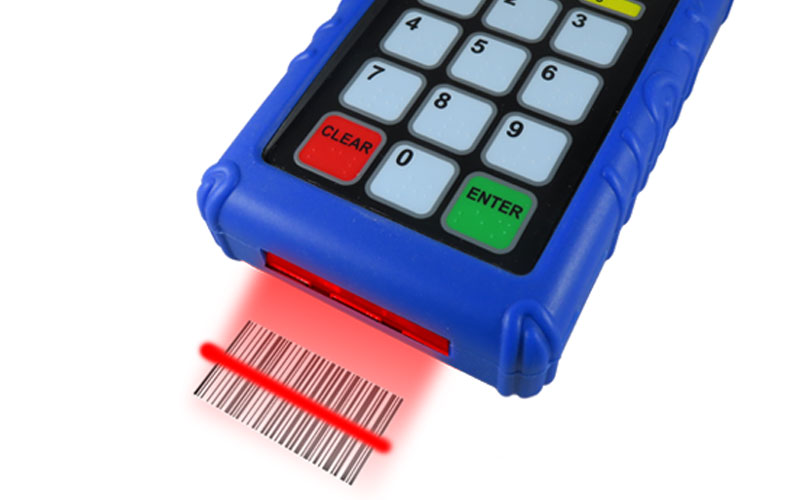
A USB pin pad or scanner connects to the POS computer with a cable. It draws power from the port and is usually recognized by the computer as a standard keyboard (or similar input device), so there is typically nothing to configure. Plug it in, and it works.
A Bluetooth device pairs wirelessly with the POS computer or tablet. It runs on its own rechargeable battery, and it needs to be paired once and kept within range. Many models can remember or pair with more than one device.
The case for USB
Reliability and simplicity. A wired connection does not depend on pairing, radio signal, or battery level. For a cafeteria that runs the same routine every day, that predictability is hard to beat.
No charging routine. Because USB devices are powered through the cable, nobody has to remember to charge a pin pad overnight or swap a dead unit mid-service.
Fast onboarding. Cafeteria staff turn over often, and substitutes are common. A device that works the moment it is plugged in needs almost no training.
Lower risk of interference. Cafeterias are busy radio environments, with phones, tablets, Wi-Fi access points, and other wireless equipment all in the room. A cable sidesteps that entirely.
The tradeoffs: cables limit where a device can sit, they can tangle or get tugged, and a worn cable or damaged port is a common point of failure.
The case for Bluetooth
Flexibility in layout. Without a cable, a pin pad or scanner can be placed where it makes the most sense for traffic flow, and moved when the line layout changes, such as for a special event, an alternate serving line, or a pop-up breakfast cart.
Mobile and cart-based service. Breakfast-in-the-classroom, grab-and-go carts, and outdoor or gym service all benefit from a scanner that is not tied to a wall outlet or a computer within arm’s reach.
Cleaner stations. Fewer cables mean less clutter at the counter, less to snag, and an easier station to wipe down.
Multi-device pairing. Some Bluetooth models can pair with more than one device, which gives schools more flexibility to share equipment between stations.
The tradeoffs: batteries must be charged, pairing can occasionally drop or need to be redone, and range and interference need to be tested in the actual cafeteria rather than assumed.
Side-by-side summary
| Factor | USB | Bluetooth |
|---|---|---|
| Setup | Plug and play | One-time pairing |
| Power | Through the cable | Battery, needs charging |
| Placement | Limited by cable length | Flexible, within range |
| Interference risk | Very low | Possible in crowded radio environments |
| Best for | Fixed lunch lines | Carts, mobile service, shared or reconfigured stations |
| Common failure point | Worn cables and ports | Dead batteries and dropped pairing |
How to decide what’s best for your school cafeteria
Start with how your cafeteria actually operates. If every serving line is fixed and the POS stations never move, USB is usually the simplest and most dependable choice. If you serve from carts, run breakfast in classrooms, or regularly reconfigure lines, Bluetooth pays off in flexibility.
A few practical steps help whichever way you lean:
- Confirm POS compatibility with your software vendor before buying.
- Pilot before you commit. Test a few units at your busiest station during a real lunch rush.
- Plan for charging if you choose Bluetooth, such as a nightly charging routine and a spare unit.
- Mix and match. Many schools find that USB at fixed lines and Bluetooth for mobile service is the best of both worlds.
- Check the warranty and support. Devices used by hundreds of students a day take a beating, so durability and service matter.
FAQs
Q1.Is Bluetooth fast enough for a busy lunch line? In most cases, yes. A properly paired Bluetooth scanner or pin pad responds quickly enough for normal lunch service. The bigger variables are battery level and signal conditions, so test during a real rush before rolling out district-wide.
Q2. Which is more reliable, USB or Bluetooth? USB is generally the more dependable option because it has no battery, pairing, or radio signal to fail. Bluetooth can be just as reliable day to day when it is charged and paired correctly, but it adds a few more things that can go wrong.
Q3. Will either option work with my school’s POS software? Most cafeteria pin pads and scanners act like a standard keyboard to the POS computer, which makes them broadly compatible, but you should always confirm with your POS vendor and the device manufacturer before purchasing.
Q4. How do we manage battery life with Bluetooth devices? Build charging into the daily closing routine, label units by station, and keep at least one charged spare per site. Check battery life claims against your actual serving hours.
Q5. Can we use both USB and Bluetooth in the same cafeteria? Yes. Many schools use USB at fixed serving lines for maximum simplicity and Bluetooth at carts or temporary stations where mobility matters. Choosing a vendor that offers both makes that mix easier to manage.
.
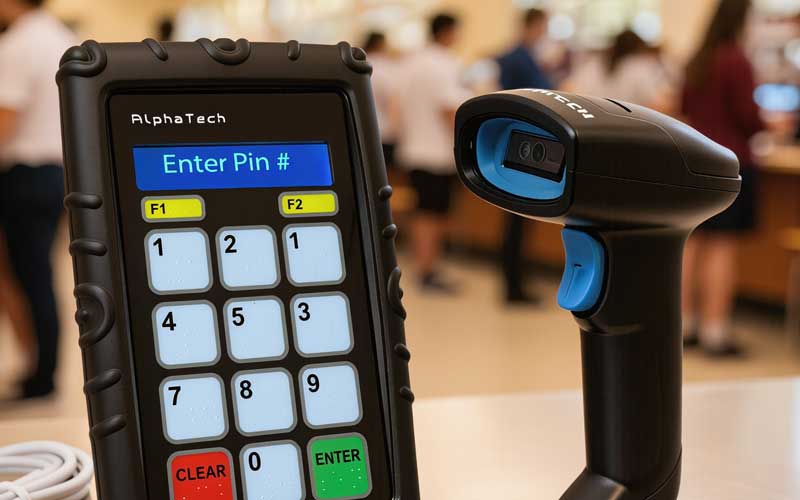
AlphaTechs USA School Cafeteria Pin Pads Scanners are Available in USB or Bluetooth versions
AlphaTechs USA is a Southern California manufacturer of pin pads and scanners built specifically for K-12 school cafeterias. Our lineup includes our flagship Bluetooth and USB AlphaScan pin pad and scanner combo, available in 1D barcode, QR (1D and 2D), and RFID versions, as well as the classic Alphapad for manual ID entry and stand-alone scanners such as our popular Alpha-201 orbital QR scanner. Our devices are FCC-approved, assembled in the US, backed by a 3-year warranty, and compatible with all US and Canadian school cafeteria POS software.
For any school cafeteria POS scanner question, feel free to contact us.